When using Unity to develop games, many people may choose to use Plastic SCM to collaborate with their team. However, with multiple people working on the same project, a merge conflict may sometimes occur.


When using Unity to develop games, many people may choose to use Plastic SCM to collaborate with their team. However, with multiple people working on the same project, a merge conflict may sometimes occur.
ArgumentNullException with Audio Sources in UnityHere’s a baffling error that you might potentially run into when working with Audio Sources in Unity. Presenting the ArgumentNullException:
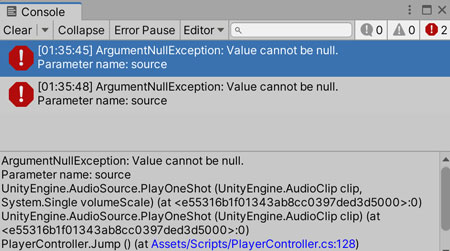
ArgumentNullException on Audio Sources.
This article is a part of the series:
Creating a Rogue-like Shoot 'Em Up (like Vampire Survivors) in Unity
Ever wanted to create a rogue-like shoot 'em up game like Vampire Survivors? In Part 7 of our guide, we will go through how to create an enemy spawning system, similar to the one seen in Vampire Survivors. You can also find Part 6 of our guide here, where we went through how to create add-on features for our characters, including selecting a character and spawning their unique weapon.
A link to a package containing the project files up to Part 7 of this tutorial series can also be found at the end of this article.
Update 13 December 2023: Still not quite sure how the Enemy Spawner component works? Check out a summary of the properties in this forum topic.
This article is a part of the series:
Creating an Underwater Survival Game (like Subnautica) in Unity
Ever wanted to create a game like Subnautica in Unity? Check out Part 3 of our guide here, where we go through how to set up the inventory system for the game.
A link to a package containing the project files of this tutorial series can also be found at the end of this article.
Continue reading
This article is a part of the series:
Creating a Rogue-like Shoot 'Em Up (like Vampire Survivors) in Unity
Ever wanted to create a rogue-like shoot 'em up game like Vampire Survivors? In Part 6 of our guide, we will go through how to create add-on features for our characters, including selecting a character and spawning their unique weapon. You can also find Part 5 of our guide here, where we went through how to create characters and pick-ups, including a leveling system for our player characters and also a way to damage them.
A link to a package containing the project files up to Part 6 of this tutorial series can also be found at the end of this article.
Update 13 December 2023: A fix has been added to the PlayerCollector script that is covered in this series.

While I was doing SEO for this blog in the past few couple of days, I’ve come across a set of HTTP security headers I’ve never heard of before. These are a set of HTTP headers that you can deploy on your website(s) to tell browsers how to interact with your site in a variety of situations, and they can help to prevent things like cross-site request forgery or iFrame injection XSS attacks from happening on your site, as well as improve your website(s) SEO score (apparently).
Needless to say, I immediately sought to implement them. If you’re looking for some settings that you can copy and paste right into your own web server, read on further.
Continue reading
This article is a part of the series:
Creating a Rogue-like Shoot 'Em Up (like Vampire Survivors) in Unity
Ever wanted to create a rogue-like shoot 'em up game like Vampire Survivors? In Part 5 of our guide, we will go through how to create characters and pick-ups. This will include a leveling system for our player characters and also a way to damage them. You can also find Part 4 of our guide here, where we went through how to create stats for our weapons and enemies, including how to damage enemies with weapons.
A link to a package containing the project files up to Part 5 of this tutorial series can also be found at the end of this article.

Recently, we’ve been hooking the Patreon API to our blog, so that we can set up a page for our Patrons properly. Along the way, we ran into a snag that has not been properly-documented online. If you’ve found this article, I hope this helps save you some time.
Continue reading
Recently, while working on one of my projects in Unity, I opened one of my C# scripts, and… my Unity Editor decided to get itself stuck on the loading screen for a really long time. This led me to search online for a fix, and it took me quite some time.
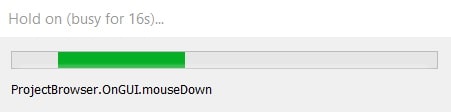
If you’re experiencing the same issue, this article is for you. Hopefully, you won’t take as much time as I did to fix this error.
Continue reading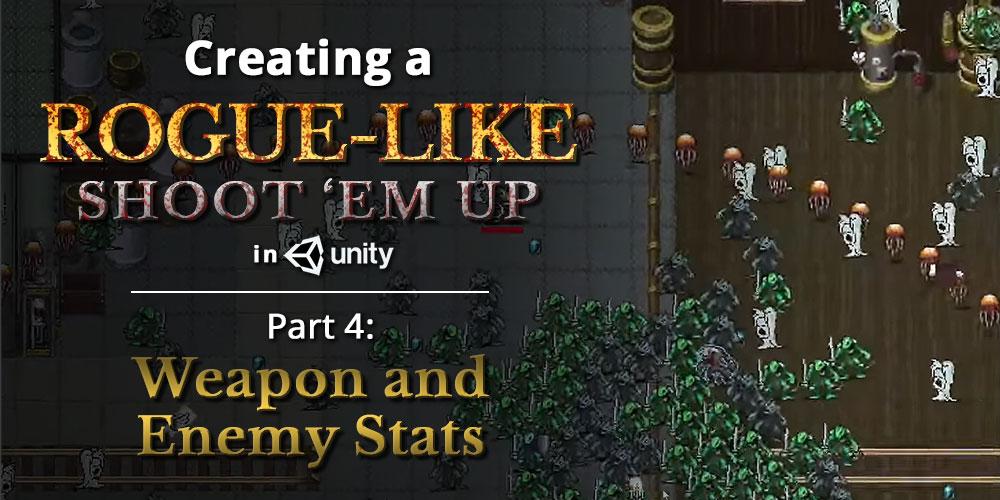
This article is a part of the series:
Creating a Rogue-like Shoot 'Em Up (like Vampire Survivors) in Unity
Ever wanted to create a rogue-like shoot ’em up game like Vampire Survivors? In Part 4 of our guide, we will go through how to create stats for our weapons and enemies, including how to damage enemies with weapons. You can also find Part 3 of our guide here, where we went through how to create our first weapons and basic enemy AI.
A link to a package containing the project files up to Part 4 of this tutorial series can also be found at the end of this article.
Continue reading Unlock Content