Ever wanted to create a game like Harvest Moon in Unity? Check out Part 17 of our guide here, where we go through how to give NPC Gifts and how to display relationship information. You can also find Part 16 of our guide here, where we went through how to set up scene transitions.
A link to a package containing the project files up to Part 17 of this tutorial series can also be found at the end of this article, exclusive to Patreon subscribers only.
To view this content, you must be a member of Terresquall Patreon at $5 or more
Recently, while putting together the site for our annual Kong Game challenge, I ran into a problem when trying to set up the page metadata and Open Graph tags. Specifically, the Facebook Sharing Debugger was failing to retrieve any metadata on my page!
Ever wanted to create a rogue-like shoot ’em up game like Vampire Survivors? In Part 3 of our guide, we will go through how to create our first weapons and basic enemy AI. You can also find Part 2 of our guide here, where we went through how to create infinite map generation.
A link to a package containing the project files up to Part 3 of this tutorial series can also be found at the end of this article.
Ever wanted to create a game like Subnautica in Unity? Check out Part 2 of our guide here, where we go through how to set up a the terrain for the game and the day-night cycle.
A link to a package containing the project files of this tutorial series can also be found at the end of this article, exclusive to Patreon subscribers only.
Author’s Note: If you’ve watched and followed Part 1 of the video tutorial, you’ll realise there is a small error in the code. Make sure you change moveY() to moveZ() to make sure your code is working. You can watch the 1st minute of the video tutorial below for clarification on this.
Ever wanted to create a rogue-like shoot ’em up game like Vampire Survivors? In Part 2 of our guide, we will go through how to create infinite map generation. You can also find Part 1 of our guide here, where we went through how to create movement, animations and a camera for our player character.
A link to a package containing the project files up to Part 2 of this tutorial series can also be found at the end of this article.
Ever wanted to create a rogue-like shoot ’em up game like Vampire Survivors? In Part 1 of our guide, we will go through how to create movement, animations and a camera for our player character.
A link to a package containing the project files up to Part 1 of this tutorial series can also be found at the end of this article.
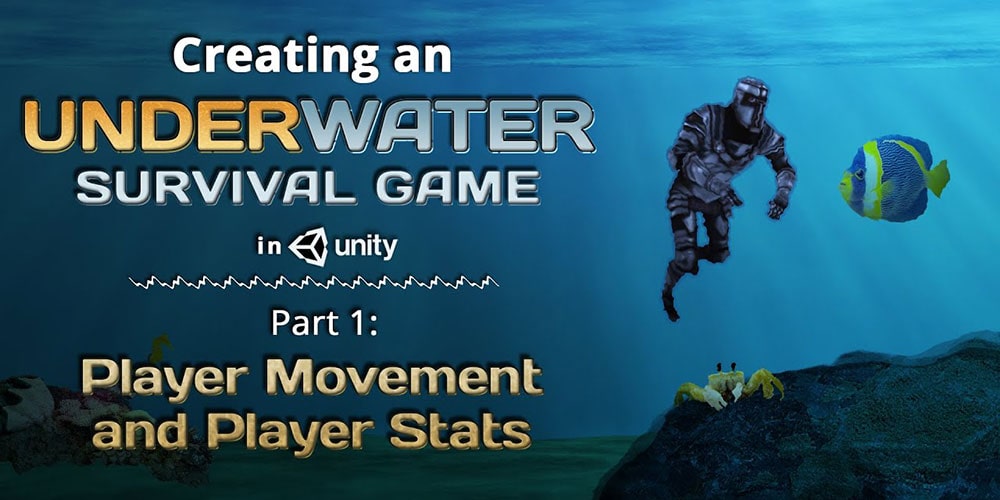
Ever wanted to create a game like Subnautica in Unity? Check out Part 1 of our guide here, where we go through how to set up a player controller and some player stats.
A link to a package containing the project files of this tutorial series can also be found at the end of this article, exclusive to Patreon subscribers only.
If you’ve been following one of our many game-making tutorials, such as the Farming RPG series, you will see that at the end of some of the tutorials, we will leave links that you can use to download the zipped source files of the project (here’s an example).
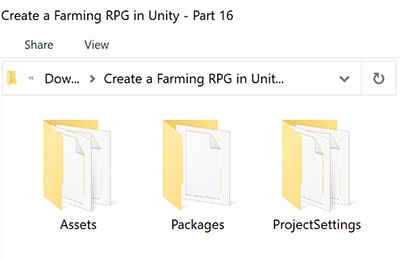
After unzipping the files, you will see these folders (give or take some of them):
When working in Unity, or any other game engine for that matter, it is natural to use version control. After all, not only can it boost team collaboration, but it is also common practice within the industry.
Through optimized workflows for artists and programmers and superior speed with large files and binaries, Unity Plastic SCM is a great built in version control and source code management tool built to improve team collaboration and scalability with any engine.
For more details regarding other Plastic SCM troubleshooting techniques, as well as how to set-up Plastic SCM for your team in your Unity project, please check our guide on Plastic SCM for Unity.
Ever wanted to create a game like Harvest Moon in Unity? Check out Part 16 of our guide here, where we go through how to give NPC Gifts and how to display relationship information. You can also find Part 15 of our guide here, where we went through how to set up scene transitions.
A link to a package containing the project files up to Part 16 of this tutorial series can also be found at the end of this article, exclusive to Patreon subscribers only.
To view this content, you must be a member of Terresquall Patreon at $5 or more
 Unlock Content