::1. Weapon Setup using Scriptable Objects
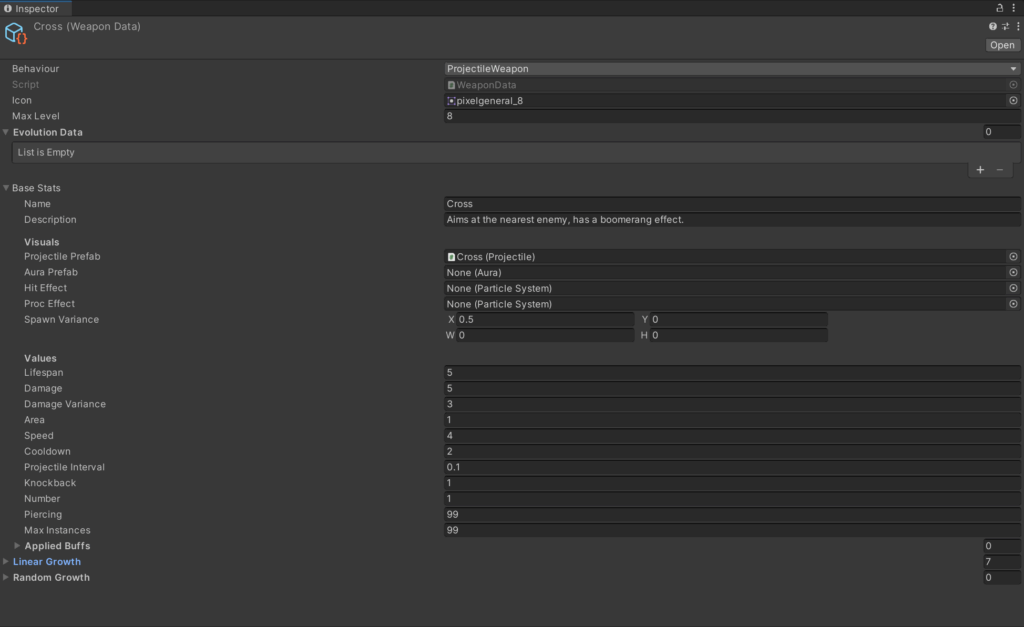
I began by creating a Scriptable Object for the Cross weapon, allowing me to store all the weapon’s base stats and level-up data in a modular and reusable way, and entered the relevant values from the wiki into the Scriptable Object.
2. Creating the Cross Prefab
Next, I created the Cross projectile prefab.
a. Sprite and Projectile Script
I sourced a sprite sheet online that resembled the Cross from Vampire Survivors and attached it to the prefab (the forth sprite on the top row).
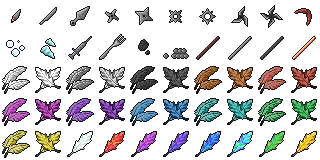
Admurin’s General Items by Admurin, https://opengameart.org/content/admurins-general-items
Since the Cross is launched in a similar way to other projectile-based weapons in the game, I reused the existing shared Projectile script rather than writing a new one from scratch.
b. Implementing the U-Turn Return Effect
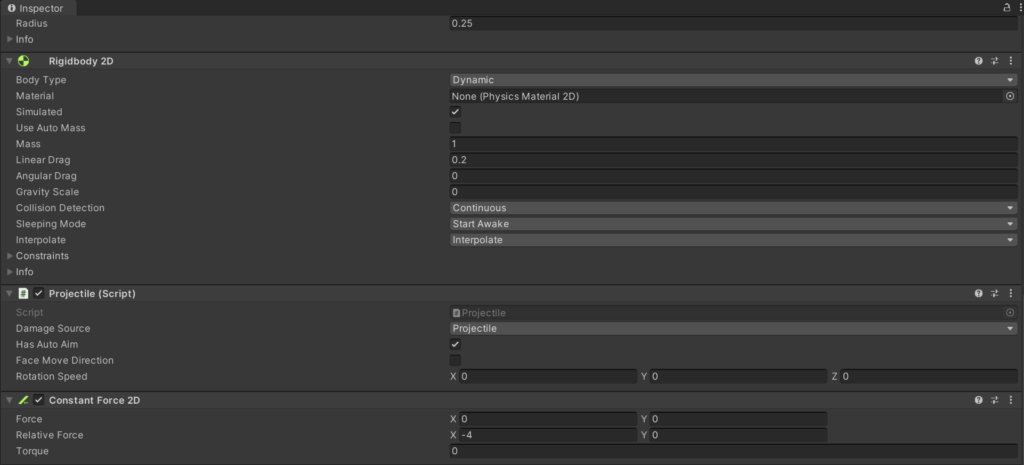
One of the defining features of the Cross weapon is its U-turn behaviour, where it travels forward before reversing direction and returning. Instead of modifying the shared projectile script, I implemented this behaviour using Unity’s ConstantForce2D component.
By applying a Relative Force value of -4 on the X-axis, the Cross is constantly pulled backwards relative to its initial facing direction. This creates a smooth deceleration followed by a natural return path, closely mimicking the U-turn effect seen in Vampire Survivors.
c. Adding the Spinning Effect
To give the Cross its iconic spinning visual, I separated the visuals from the projectile’s physics. I created a child Sprite2D object under the projectile prefab and animated it to rotate continuously. This ensured that the spinning effect was purely visual and did not interfere with the projectile’s movement or physics calculations.
.
